> For the complete documentation index, see [llms.txt](https://help.iodd.kr/llms.txt). Markdown versions of documentation pages are available by appending `.md` to page URLs; this page is available as [Markdown](https://help.iodd.kr/readme.md).
# Welcome to IODD Guide
Official IODD guide for virtual drive setup, AES256 encryption, disk initialization, troubleshooting, firmware updates, and model reference.
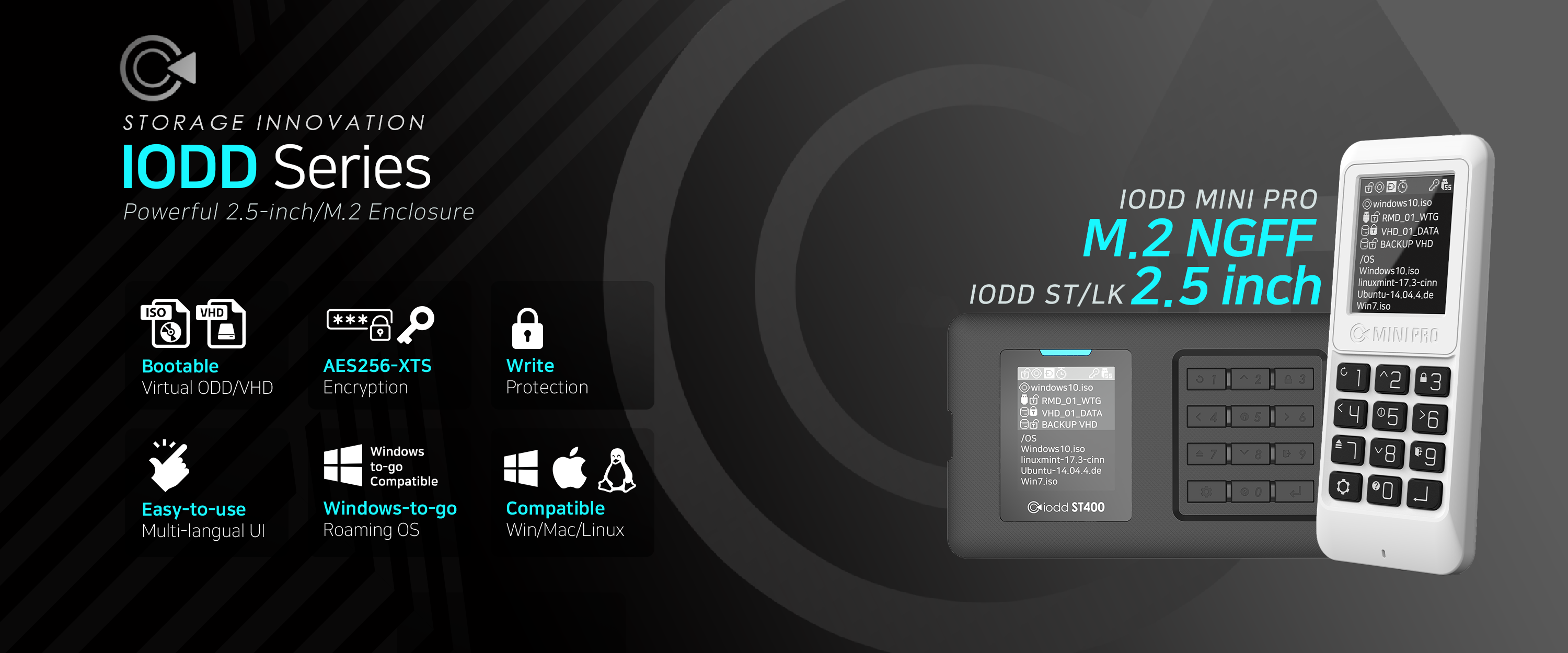
Experience the ultimate virtual drive and encryption solution.
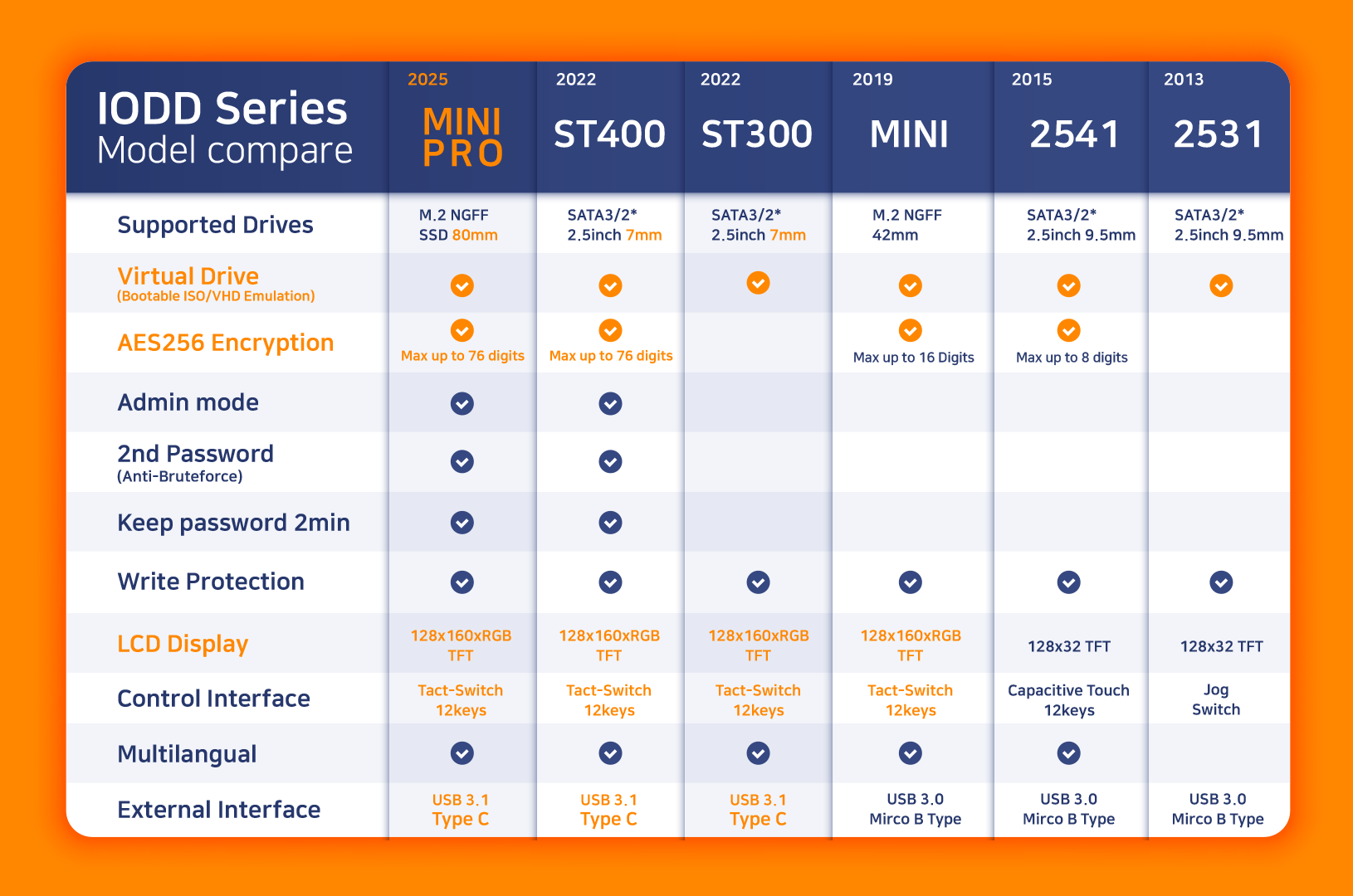
IODD Series Comparison: Find the right model for your needs.
### 🔔 Latest News
Currently sold products use the latest firmware, so no additional update is required. If there is a new update after **May 29, 2024**, we will announce it here.
### ✨ What's New
**Duress PIN / Decoy PIN Guide Added** Learn how ST400 and MINI PRO can show only a prepared `vhd4.vhd` volume for a plausibly deniable access workflow when unlocked with the User 4 PIN.
* [**Duress PIN Manual**](/aes256-encryption-mini-pro-st-lk/admin/duress-pin.md)
**IODD TRIM Tool Released** A new Windows utility designed to send TRIM commands to external USB SSDs, maintaining performance and extending lifespan.
* [**IODD TRIM Tool Manual**](/various-functions/iodd-trim-tool.md)
***
### 📘 Introduction
This documentation provides a comprehensive, step-by-step guide to effectively using your IODD device. While the instructions are primarily tailored for the **ST/LK series**, most information is applicable to the **MINI series** as well.
#### ⚠️ Pre-use Checklist
To ensure stable performance and data integrity, please review these requirements:
* **Power Supply**: Connect the IODD to a **rear USB port** on your PC. Laptop users should use a **powered USB hub** for consistent voltage.
* **Encryption Conflict**: Hardware encryption **cannot** be used simultaneously with OS-level encryption (e.g., **BitLocker**).
* **Cable Length**: Use a USB cable **shorter than 50cm** to prevent signal degradation.
* **Disk Compatibility**:
* **ST300 / ST400 / LK100**: **2.5-inch** **7mm** HDD/SSD.
* **2531 / 2541 (Legacy)**: **2.5-inch** HDD/SSD up to **9.5mm**.
* **MINI (Legacy)**: M.2 SATA **2242** SSD.
* **MINI PRO**: M.2 SATA **2280** SSD.
### 📊 Hardware Model Comparison
| Feature | ST400 / MINI PRO | LK100 | ST300 | 2541 (Legacy) | 2531 (Legacy) | MINI (Legacy) |
| ----------------- | :--------------: | :--------------: | :--------------: | :---------------: | :---------------: | :---------------: |
| **Encryption** | AES256 XTS | AES256 XTS | ❌ | AES256 XTS | ❌ | AES256 XTS |
| **Virtual ODD** | ✅ | ❌ | ✅ | ✅ | ✅ | ✅ |
| **Virtual HDD** | ✅ (3 LUN) | ❌ | ✅ (3 LUN) | ✅ (4 LUN) | ✅ (4 LUN) | ✅ (3 LUN) |
| **Interface** | Type-C (USB 3.1) | Type-C (USB 3.1) | Type-C (USB 3.1) | Micro-B (USB 3.0) | Micro-B (USB 3.0) | Micro-B (USB 3.0) |
| **Controls** | Tactile Keys | Tactile Keys | Tactile Keys | Touch Keys | Jog Dial | Tactile Keys |
| **Max PIN** | 38 Digits | 38 Digits | N/A | 15 Digits | N/A | 15 Digits |
| **2nd P.W.** | ✅ | ✅ | ❌ | ❌ | ❌ | ❌ |
| **Admin App** | ✅ | ✅ | ❌ | ❌ | ❌ | ❌ |
| **Internal Disk** | 2.5" 7mm / 2280 | 2.5" 7mm | 2.5" 7mm | 2.5" 9.5mm | 2.5" 9.5mm | M.2 2242 |
{% hint style="warning" %}
**Safe Removal (Mandatory)** To prevent data corruption, **always use the "Safely Remove Hardware" option in your PC's operating system.** The hardware button ejection on the IODD may not be sufficient depending on your OS configuration.
{% endhint %}
***
### 🚀 Getting Started
#### First Time Using IODD?
If you haven't assembled your device yet, start here:
* [**Disk Assembly Guide (ST/LK)**](/disk-assembly-st-lk.md)
If your hardware is ready, follow these core functions:
#### 1. Virtual Drive Feature
Learn how to mount ISO, VHD, and RMD files.
* [**Drive Setup Guide**](/bootable-virtual-drive/drive-setup.md)
#### 2. Encryption Function
Secure your data with AES-256 hardware encryption.
* [**Encryption Guide (ST/LK/MINI PRO)**](/aes256-encryption-mini-pro-st-lk/encryption-guide.md)
* [**Encryption Guide (MINI Legacy)**](/aes256-encryption-mini/iodd-mini-encryption.md)
#### 3. Simultaneous Use (Encryption + Virtual Drive)
For maximum security and utility, follow this specific order:
1. **Configure Encryption**: Set up your password first.
2. **Setup Virtual Drive**: Once encrypted, partition and copy your files.
***
{% hint style="danger" %}
**Encryption Compatibility Notice**
Due to an upgrade in the encryption algorithm, disks encrypted with **2541 / SecureDock** are **NOT compatible** with the **ST400 / LK100 / MINI PRO**.
**To migrate your disk to a newer model:**
1. **Back up** all data to a safe location.
2. **Initialize** the disk on the new IODD device.
3. Set a new password and restore your data.
**Compatibility Map:**
* ST400 ↔ LK100 ↔ MINI PRO (Fully Compatible)
* **\[NOT COMPATIBLE]**
* 2541 ↔ Securedock (Legacy Compatibility Only)
{% endhint %}
***
### 🛠️ Need Help?
If you encounter issues, please refer to these troubleshooting resources:
* [**Ask AI About the IODD Documentation**](/ask-ai.md)
* [**Firmware Update Guide**](/troubleshooting/firmware-update.md)
* [**Disk Initialization Guide**](/disk-initialization.md)
* [**Error Messages Guide**](/troubleshooting/error-messages.md)
* [**FAQ**](/troubleshooting/faq.md)
#### Terminal Verification
You can check if your IODD is correctly recognized by the OS:
```bash
# On Linux, verify the connected USB mass storage device
$ lsblk -o NAME,MODEL,SIZE,FSTYPE
```
***
### 📞 Corporate Contact
* **Email**: **** (Technical Support & Business Inquiries).
### 🛒 Official Stores
* [**USA Amazon**](https://www.amazon.com/stores/page/924E4905-B6C0-4750-8728-6C5F95ACAEEA?channel=web_help)
* [**DE or EU Amazon**](https://www.amazon.de/stores/page/97735567-5F5C-428C-BF9E-B4DD4F040979?channel=web_help)
* [**AliExpress (IODD Ewoda Store)**](https://www.aliexpress.com/store/1101231114)
* Products(limited), Accessories, and Components.
* **IODD Ewoda Store** is our official worldwide distributor.